Ask any practice manager what's eating their team's week, and prior authorizations will be near the top of the list.
The AMA's most recent prior authorization survey of 1,000 physicians found that practices complete an average of 40 prior authorizations per physician, per week, taking about 13 hours of physician and staff time. 40% of physicians said they have staff who work exclusively on prior authorizations. And the stakes aren't only administrative: 95% said prior authorization delays access to care, and 79% said patients sometimes abandon treatment because of it.
So it's a fair question: can a remote assistant take this on? The honest answer is that a remote assistant can own most of the process, but not all of it. The key is knowing exactly where the line is.
Most of a prior auth is administrative
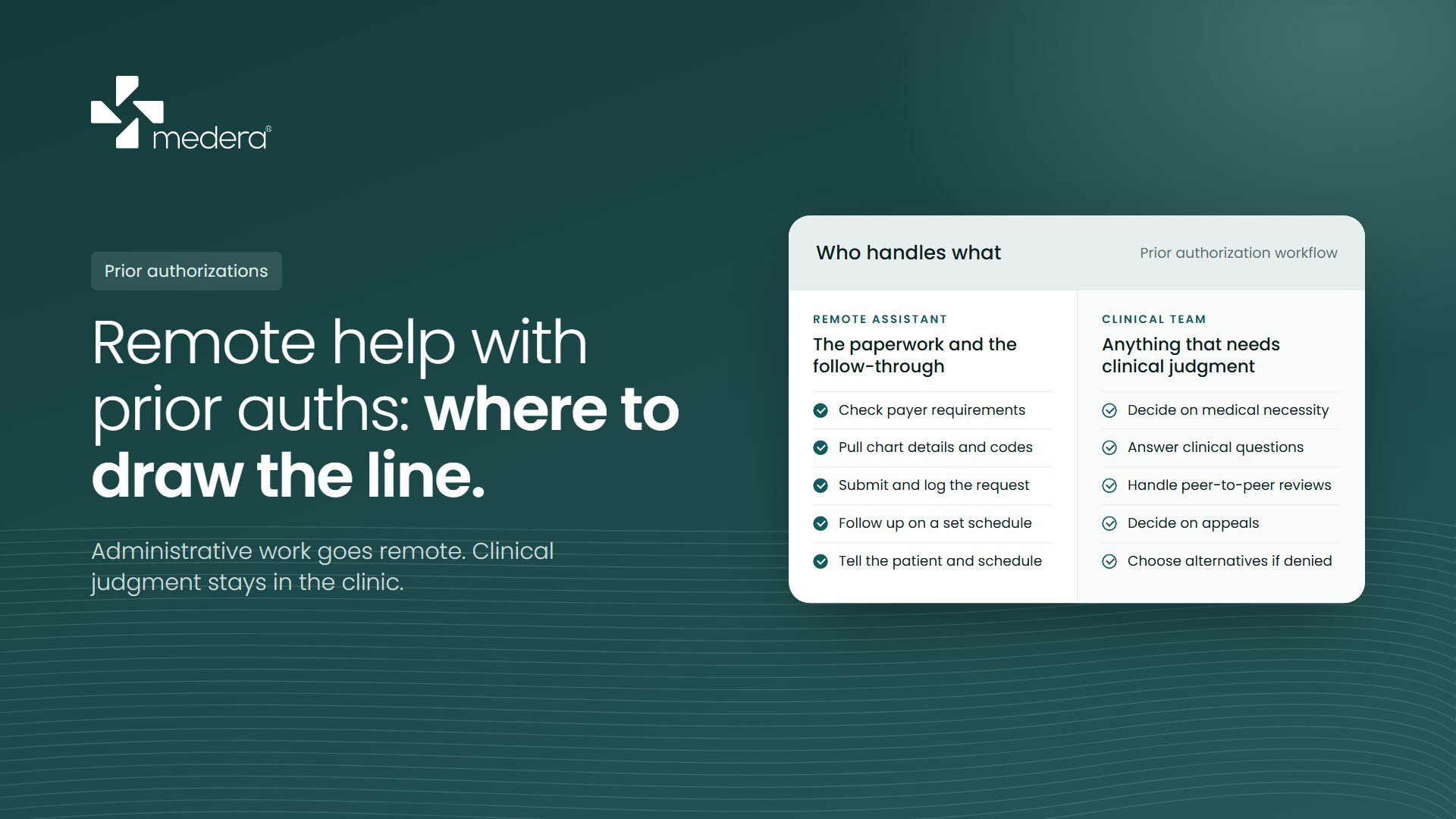
When you break a prior authorization into steps, most of them don't require clinical judgment. They require accuracy, persistence, and time:
- Checking whether the payer requires authorization for that service, for that plan
- Gathering demographics, insurance details, procedure and diagnosis codes, and existing clinical notes
- Submitting the request through the payer's portal or by fax, in the format that payer wants
- Logging the submission, then following up on a schedule until there's a decision
- Telling the patient the outcome and getting the service scheduled
This is the part that buries a front desk. It isn't hard, but it's relentless. Every payer has its own portal, forms, and timelines, and a request that isn't followed up can sit for days.
Where the line is
Some steps need a licensed clinician, and they should stay with your clinical team no matter who handles the rest:
- Deciding what shows medical necessity. A remote assistant can pull the notes, but a clinician decides whether they make the case.
- Answering clinical questions. When a payer asks for more information about the patient's condition or treatment history, the answer comes from the clinical team. The assistant can package and submit it.
- Peer-to-peer reviews. These are conversations between your physician and the payer's reviewer.
- Appeals and alternatives. Whether to appeal a denial, what the appeal argues, and what to do instead if it's denied are clinical decisions. An assistant can help with the paperwork, but the content and the decision belong to the clinician.
The rule is simple. If a step needs clinical judgment, it stays in the clinic. If it needs accuracy and follow-through, it can go remote.
Follow-up matters more than ever
There's a new reason to stay on top of pending requests. Under the CMS Interoperability and Prior Authorization Final Rule, starting January 1, 2026, Medicare Advantage plans, Medicaid and CHIP programs, and plans on the federal exchanges must decide urgent requests within 72 hours and standard requests within 7 calendar days, and give a specific reason when they deny one. Electronic prior authorization requirements follow in 2027.
Those timelines only help you if someone is tracking them. A clear log with the submission date, payer, status, and next follow-up date shows you which payers are slow, which requests are overdue, and where you need to escalate.
How to set it up
Build a payer cheat sheet. For your top payers, list which services need authorization, how to submit, what documentation they usually want, and their typical turnaround. This one document saves hours every week, and it's the first thing a new person needs.
Define the handoffs in writing. When a payer asks a clinical question, who gets it, how, and how fast? When a request is denied, who decides on an appeal? Write it down before day one.
Keep everything in your systems. Requests, notes, and status updates should live in your EHR or practice management system, not in side spreadsheets or personal email. That keeps the audit trail intact and means anyone on your team can see where a request stands.
Measure it. Track the average days from order to decision, the number of pending requests, and denials by payer. After a month you'll know whether the process is working.
Start with the backlog
If prior authorizations are your biggest pain point, they're a good place to start with remote support, because the work is clearly defined and easy to measure. Hand over submission and follow-up first, keep clinical decisions exactly where they are, and look at your turnaround times after a few weeks. If they've improved and your clinical team has its time back, you'll know it's working.